Tasks Therapy
A team task management app built for design and animation studios. Manage projects, track progress, and collaborate; no database, no subscription, no server. Your data stays in your own Google Drive.
Tasks Therapy Web App
A team task management app built for design and animation studios. Manage projects, track progress, and collaborate; no database, no subscription, no server. Your data stays in your own Google Drive.
Built for fast pace
and simple flow.
Tasks Therapy is free. No per-seat pricing, no tier upgrades, no billing cycle. A small to medium studio/ collaboration projects pays nothing and gets a fully functional team task manager.
Every task, every update, every file attachment is stored inside your own Google account, not ours. You own it completely. Open it, export it, back it up anytime you want.
No Gantt charts, no admin setup, no integration headaches. Sign in with Google, create a workspace, invite your team and start assigning tasks in minutes.
Attach photos, PDFs, documents, and spreadsheets directly to tasks.
Files are stored in your Drive and accessible from any device.
No third-party storage required.
One tap sign-in using your existing Google account. No new account to create, no password to manage. Your Google identity is your login.
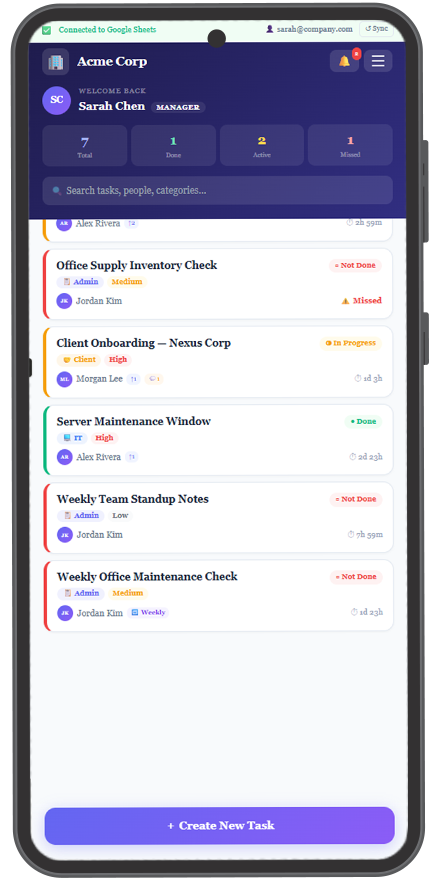
The app automatically creates a Google Sheet and a Drive folder in your account. This becomes your team's task database, owned entirely by you.
Share a workspace code with your team. They join by entering the code and their email, no app store account required for collaborators.
Create tasks, set priorities, assign team members, attach files to Drive, and leave progress updates with @mentions. Everything syncs automatically.
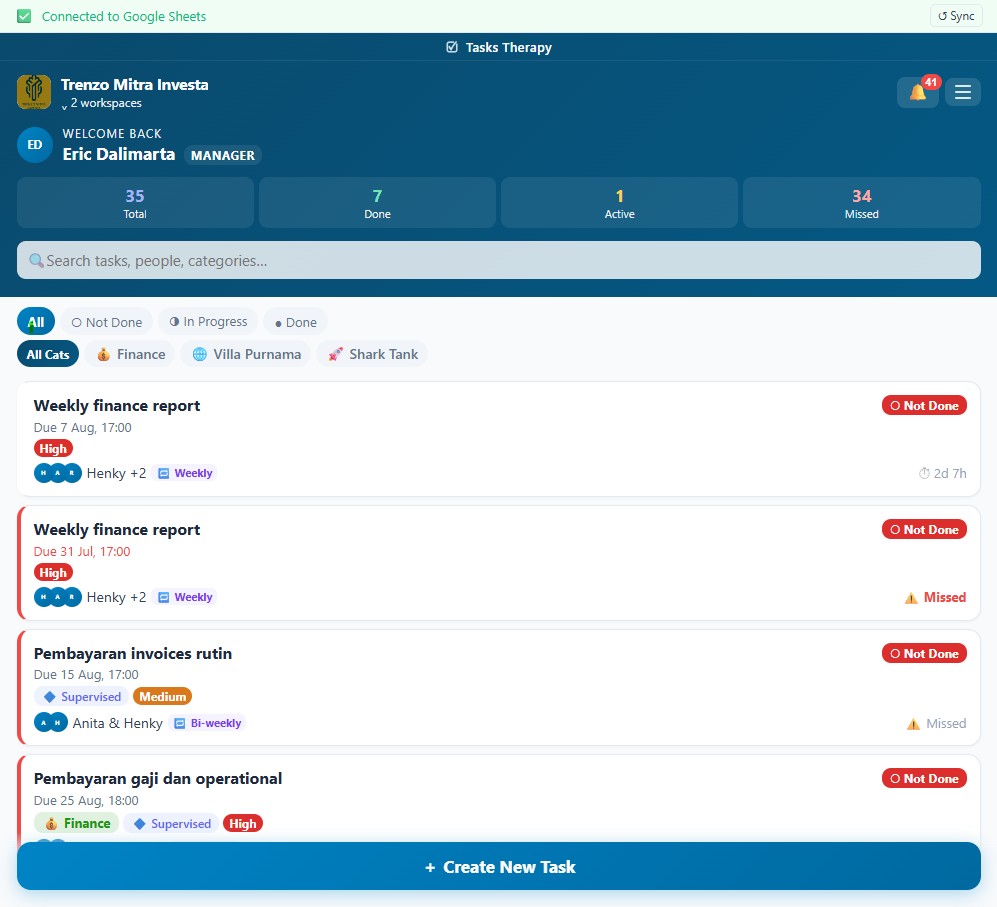
Every change syncs back to your Google Sheet. Open it anytime, export it, back it up, or just leave it, it's your file, always.
Your data never
touches our servers.
Tasks Therapy has no backend of its own. There is no Tasks Therapy database, no Tasks Therapy cloud, no Tasks Therapy server sitting somewhere handling your information.
Instead, the app uses Google Sheets as its database and Google Drive as its file storage, both living inside your own Google account. When you sign in, the app creates files in your Drive. When your team updates tasks, it writes directly to your Sheet.
This means you can open your Google Sheet at any time and see every task in plain rows and columns. You can share it, export it, back it up, or just close the app forever and still have all your data intact. You own it completely.
Built for how
tracking task actually work.
Create or join a workspace with a code. Multiple workspaces supported. Switch between clients or projects.
Manager, Supervisor, and Staff roles. Control who sees what and who can assign tasks to whom.
Attach photos, PDFs, documents, and spreadsheets to any task. Files go to your Drive, not ours.
Set tasks to repeat daily, weekly, or monthly. Useful for recurring delivery schedules and regular check-ins.
Organize tasks by custom categories: Design, Motion, VFX, Delivery, Admin; whatever fits your workflow.
Post updates and comments on tasks with @mentions. Keep the full conversation history on the task itself.
Local morning and evening digest notifications. No push server needed, scheduled entirely on-device.
Full task history and activity log. See who changed what and when, useful for project sign-off and handovers.
Back up your workspace to Drive and restore from any previous backup. Your data is never trapped.
Roles built for
studio hierarchy.
Creates the workspace. Full access: invite staff, assign any task, manage categories, delete workspace. One per workspace.
Oversees a subset of the team. Can assign tasks to their staff, view all tasks in their group, and post updates.
Works on assigned tasks. Updates progress, posts comments, attaches files. Sees only what's relevant to them.
Keep tab on us, more features and slicker version to come.
get organised?